Kittle vs Canva (2026): Which Is Best to Use as a Creator?
If you’ve been Googling Kittle vs Canva, you’re probably stuck in decision mode.
Maybe you:
This post may contain affiliate links. This means I get a commission if you purchase through my links at no extra cost. Read the full disclosure here.
Here’s the truth, friend:
This isn’t about which platform is “better.”
It’s about which one makes you money faster.
Let’s break down Kittle vs Canva the smart way — creator to creator.
Quick Summary (If You’re In a Hurry)
👉 Choose Kittle if you sell:
👉 Choose Canva if you:
Still unsure?
Quick Overview: Kittle vs Canva at a Glance
| Feature | Kittle | Canva |
|---|---|---|
| Primary Strength | Advanced typography & vector design | All-in-one design ecosystem |
| AI Tools | Image generator, vectorizer | Magic Design, Magic Write |
| Templates | Strong for niche & merch | Massive multi-category library |
| Brand Kit | Basic | Advanced (Pro & Teams) |
| Collaboration | Limited | Real-time collaboration |
| Print Workflow | Excellent for POD | Canva Print integration |
| Learning Curve | Moderate | Very beginner-friendly |
| Best For | Merch & logo designers | Bloggers & businesses |
If you want ready-to-use prompts for high-quality visuals, check out my Kittl Flow AI Prompt Library for inspiration.
What Makes Kittle Powerful (And When It Wins)
Let’s talk about why creators love Kittle.
When comparing Kittle vs Canva, Kittle absolutely dominates in one area:
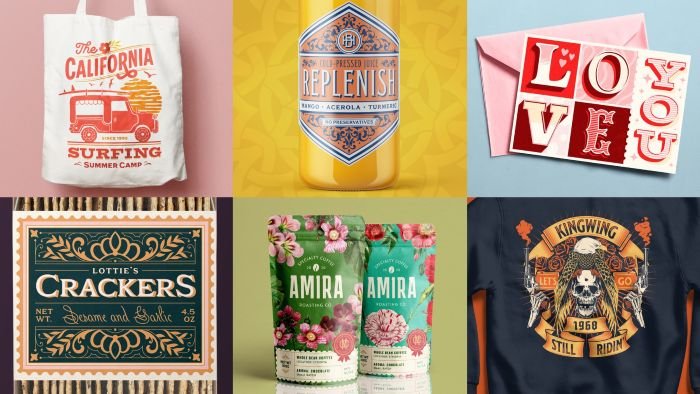
Typography control
You can:
If you’re selling on Etsy or using print-on-demand platforms, that SVG precision matters.
Kittle also includes:
If your income depends on bold typography and scalable artwork, Kittle isn’t just “nice to have” — it’s strategic.
👉 If you’re focused on merch or POD, Kittle is worth testing.
Where Canva Wins (And Why I Love It)
Now let’s talk about Canva.
When people compare Kittle vs Canva, they often forget this:
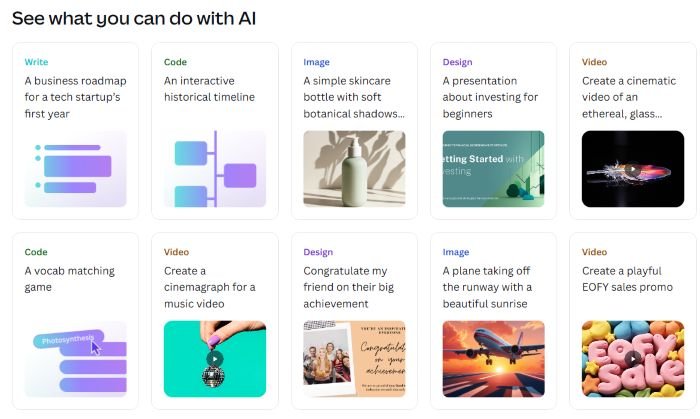
You can:
If you’re building:
Canva removes friction.
And friction kills momentum.
👉 To create viral pins regardless of whether you use Canva or Kittl, follow the strategy in How to Make Pinterest Images That Convert
Kittle vs Canva: Real Business Use Cases
Let’s simplify this.
If you are a POD seller:
Kittle → Better typography
Kittle → Cleaner vector exports
Kittle → Stronger logo precision
If you are a blogger or digital seller:
Canva → Faster content
Canva → Better AI tools
Canva → Strong brand management
If you sell on Etsy:
Use both.
If you want to scale your shop faster, read my full guide on profitable digital product ideas that work with Canva or Kittl.
How AI Image Generation Works in Kittle and Canva
When you look at Kittle vs Canva through the AI lens, the difference isn’t just in whether they have AI — it’s how they do it.
With Kittle, you’re basically handed a whole toolbox. You can choose from 10 different AI image-generating tools (including SDXL, Midjourney-style engines, and other popular models), giving you flexibility to explore styles from ultra-realistic to artistic and illustrative. This makes Kittle incredibly useful if you want to experiment with multiple aesthetics or tailor visuals for merch, badges, or vector-ready artwork.
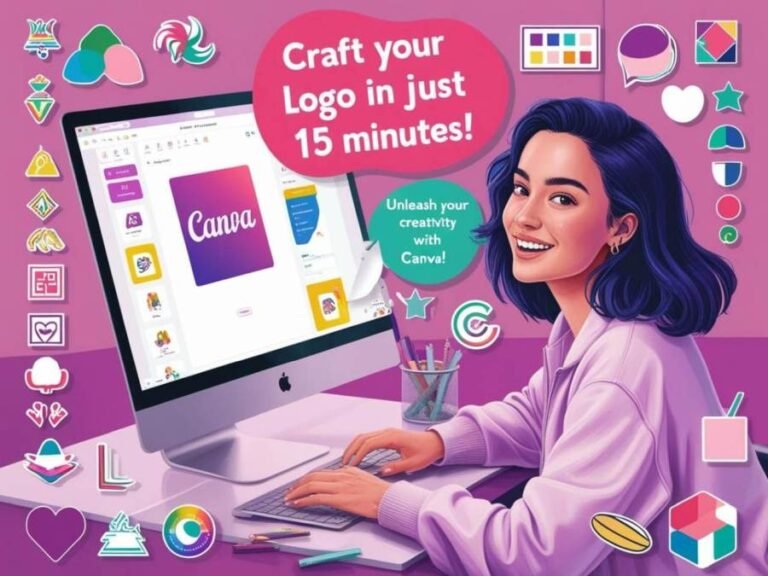
Canva, on the other hand, uses Leonardo AI as its core image generator—a powerful model designed for seamless integration with the Canva ecosystem. That means you can generate images, drop them into templates, resize, remove backgrounds, or remix them with other design elements without leaving the platform.
So in short:
Both are great — but they feel different depending on whether you want creative variety (Kittle) or simplified workflow (Canva).
AI Tools Comparison
| AI Feature | Kittle | Canva |
|---|---|---|
| AI Image Generation | Yes | Yes |
| AI Writing | No | Magic Write |
| Background Removal | Basic | Advanced |
| AI Vectorizer | Yes | No native tool |
| Text-to-Design | Limited | Magic Design |
Pricing & Value (What You Actually Pay For)
When comparing Kittle vs Canva, pricing isn’t wildly different at the Pro level.
The real difference is what you unlock.
Canva gives you:
Kittle gives you:
The question isn’t price.
It’s ROI.
| Plan | Kittle | Canva |
|---|---|---|
| Free | Limited | Generous |
| Pro | Lower entry | Canva Pro monthly/yearly |
| Teams | Limited | Strong team pricing |
| Enterprise | No | Yes |
Which tool helps you produce sellable designs faster?
My Real-World Take as a Creator
If I had to simplify the Kittle vs Canva decision, I’d say this:
Start with what supports your current workflow — not what looks more “advanced.”
If you’re building content, creating lead magnets, designing Pinterest pins, or selling ebooks and planners, Canva will probably carry most of your workload. It’s fast, intuitive, and covers a lot of ground without making you think too hard.
If your focus shifts toward typography-heavy graphics, SVG files, logo packs, or merch design, that’s when Kittle starts to make more sense.
It’s not about picking the “best” tool. It’s about choosing the one that removes friction in your business right now — and adding the second one only if you genuinely need it.
That’s it. No drama. Just a practical strategy.
Should You Use Both?
Many serious creators do.
Here’s a smart workflow:
You maximize strengths and minimize limitations.
That’s how you build efficiently.
Final Verdict: Kittle vs Canva in 2026
There is no universal winner in Kittle vs Canva.
There is only the right tool for your current stage.
If you:
And if your goal is to grow faster, design smarter, and avoid overwhelm?
Choose the tool that removes the most friction in your workflow today.
You can always evolve later.
FAQ: Kittle vs Canva
Is Kittle better than Canva?
For typography-heavy and merch design, yes. For marketing and brand ecosystems, Canva wins.
Is Canva easier than Kittle?
Yes. Canva is more beginner-friendly overall.
Can Kittle replace Canva?
Not completely. It excels in niche areas but lacks Canva’s full ecosystem.
Which is better for Etsy sellers?
Kittle for SVG merch. Canva for mockups, listings, and Pinterest marketing.
Ready to Try Them?
If you want to test them yourself:
(And yes — I only recommend tools I’d use in my own business.)
Get access to the Canva Creator Vault.
Join our mailing list and get instant access to the Canva Creator Vault — a growing library of FREE templates, cheatsheets, font pairings, planners, and more!

Kittl, on the other hand, focuses more on creative control and advanced typography effects, making it particularly useful for designers working on logos, posters, or print-on-demand products where distinctive text styling and visual originality are important.